Best cloud storage

Easy and safe in Scandinavia

  Never lose your files
  Cloud storage for computers, mobiles and tablets
  Green data centres in Scandinavia

Get started

👉 Get Onlime for free with 5GB of cloud space and access to all features.

Need more space? 😎 See our subscriptions here.
Button to download Onlime from the App Store
Button to download Onlime for Android on Google Play
  Use on all your devices   Free access to Word, Excel and Powerpoint in the cloud   Free Danish live support

About Onlime

We don't harvest your data - and we don't monetise it.

Harvesting and utilising your data is not part of our business model. We concentrate solely on developing and operating our service that you can use to store your files.

About Onlime

Find your memories, in your own words: New intelligent image search in Onlime

Our new intelligent image search lets you find exactly the image you're looking for. This is possible because our proprietary and private AI-based image search can decode the content in images and compare it to your search. Already have an account? 👉

About Onlime

We are an independent and local service

The internet is free and diverse - that's good. But many of the services and apps we Danes use come from faraway places and this can have many negative consequences.

Features

One app. Many features for everything and everyone.

Image
Image
Image

Onlime to

Windows

Backup

Automatic backup of folders

Backup folders on your PC in the cloud - automatically or on a schedule. Onlime runs in the background and ensures continuous changes to your files.

Synchronise

Synchronise files between devices

Onlime Sync automatically synchronises files and folders between all your devices. Available directly in Explorer on Windows

This is useful if you want to access the same files from multiple computers or if you want to work on files with other people who also have an account.

Archive

Archive files online

Use Archive to store files that should only reside in the cloud and not take up space on your devices.

Archives are great for files you don't access often, like old photos and documents.

Image
Image
Image

Onlime to

Mac

Backup

Automatic backup of folders

Backup folders on your PC in the cloud - automatically or on a schedule. Onlime runs in the background and ensures continuous changes to your files.

Synchronise

Synchronise files between devices

Automatically synchronise files and folders between all your devices. Available directly in Finder on Mac.

Archive

Archive files online

Use Archive to store files that should only reside in the cloud and not take up space on your devices.

Archives are great for files you don't access often, like old photos and documents.

Image
Image
Image

Onlime to

iPhone & iPad

Backup

Automatic backup & organisation

With the Onlime app you get automatic backup of photos and videos on your Android device.

All your memories are collected in one timeline where you can easily create albums, share and comment.

Free up space

Free up space on iPhone

One tap removes photos and videos on iPhone that are already backed up in Onlime

Accessibility & overview

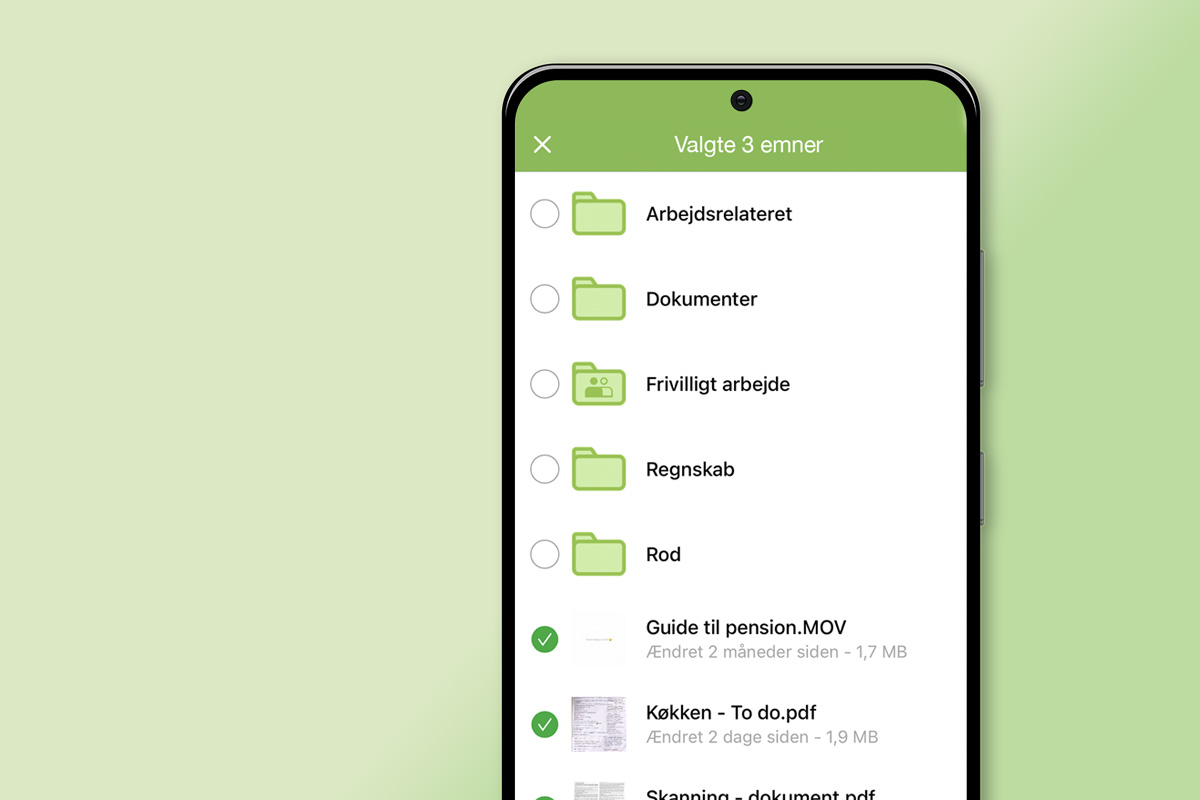
Access all files and devices

Easily access all files you've uploaded to Onlime from your devices. These are for example

  • files from your Windows/Mac backup
  • Synchronised files from the Onlime Sync folder.
  • Files you have activated online in Onlime

Image
Image
Image

Onlime to

Android

Backup

Automatic backup & organisation

With the Onlime app you get automatic backup of photos and videos on your Android device.

All your memories are collected in one timeline where you can easily create albums, share and comment.

Free up space

Free up space on Android

One tap removes photos and videos on iPhone that are already backed up in Onlime

Accessibility & overview

Access all files and devices

Easily access all files you've uploaded to Onlime from your devices. These are for example

  • files from your Windows/Mac backup
  • Synchronised files from the Onlime Sync folder.
  • Files you have activated online in Onlime

Onlime to

Onlime in your browser

Full overview

Wherever you are, your files are right there

Get a full overview of all your files, folders, photos and videos from all your devices directly in your web browser.

WEB synchronisation

Your files and folders on all your devices

Use Sync if you want files to be transferred automatically between your devices.

WEB Archive

True storage in the cloud

Use Archive to store files that should only reside in the cloud and not take up space on your devices.

Image
Image
Image

Onlime to

Office Online

Word

Word Online

Create a multitude of documents thanks to the many features and formats - directly in your browser.

You can collaborate with other users in real-time, make comments and amendments.

Excel

Excel Online

Create everything from simple to complex spreadsheets in Excel Online - directly in your browser.

You can collaborate with other users in real-time, make comments and amendments.

Powerpoint

Powerpoint Online

Create beautiful presentations directly in your browser with Office Onlime.

You can collaborate with other users in real-time, make comments and amendments.

More features 🚀

Archive

True backup and storage in the cloud

Use Archive to store files that should only reside in the cloud and not take up space on your devices.

Archive

Use Archive to store files that should only be in the cloud and not take up space on your devices. Archive is a smart way to store files you don't access often - like old photos and documents.

Sharing

Share easily and securely

Sharing your files and folders directly from the cloud is both easy and secure.

Sharing

Sharing allows you to give other people access to your files in the cloud. You can create a public link that only allows people to view and download your files. Or you can create private sharing folders that allow people to create, edit and delete files.

Free space

Free space for individuals

With our individual subscription, you get free space in the cloud.

For individuals

Free space

For individuals

Get free space in the cloud with our individual subscription. This means you never have to worry about how much data you store in the cloud!

Privacy policy

We protect your privacy and do not monetise your data

At Onlime is the not the product! We do not harvest your data and do not monetise it.

Privacy policy

We care about and protect your privacy. Many services and companies harvest and monetise the data you upload to them. Not so at Onlime! We don't harvest and monetise your data.

Family members

Invite and create family members

Create users for family members quickly and easily from the admin panel.

For families

Family members

For family

Create users for family members quickly and easily from the admin panel. With a user, each family member has their own login and access only to their own and shared files. As an administrator, you can decide how much space each account can use.

User management

User management for businesses and organisations

Create and manage user accounts as needed. Allocate space and set rights for each user.

For businesses and organisations

User management

For businesses

For companies and organisations, it is important to be able to manage users as needed. Every employee or member can have their own user account for their work.

Restore & File History

Go back in time on your files

Restore your files from the cloud whenever you need to. You can restore individual files or entire folder structures. The service stores up to 5 previous versions of all your files.

Restore & File History

You can restore individual files or entire folder structures. The service stores up to 5 previous versions of all your files. All versions are stored indefinitely and you can restore via web access and app.

Chromecast

Streaming via Chromecast

Stream documents, images and videos from the cloud to a larger screen with Chromecast.

Chromecast

Bring your photos and videos to the big screen by streaming with Chromecast directly from your computer or mobile.

Event log

Activity overview

Get an overview of events with the log view from the admin console. This way you can always see activity on the entire account.

For businesses and organisations

Event log

For businesses

Get an overview of events with the log view from the admin console. See when users are active and which files they are handling, among other things.

    FAQ about Best cloud storage

    The best cloud storage - what is it?

    The best cloud storage is the one that is easy and simple to use while offering secure data storage. The security of cloud storage is an important part and at Onlime we secure data in Scandinavia at secure data centres in Norway.

    What can I use cloud storage for?

    Cloud storage allows you to store files and folders in the cloud. This means that they are located in secure data centres in the cloud, so you can always access them from anywhere in the world. They are also secured in such a way that if you lose your computer or mobile phone, for example, you can restore them again.

    Can I use cloud storage on desktop and mobile?

    Yes, cloud storage can be used on both desktop and mobile. We support Windows, Mac, iPhone, iPad and Android smartphones.

    Can you share directly from cloud storage?

    Yes, you can. All files and folders, images and videos that you store in your cloud storage can be shared either with other Onlime users or directly with a link. This is great because you can share an unlimited amount of data very quickly. In comparison, most email services can only handle sending a maximum of 25MB per email.